OkMap – GPS software for maps,
GPX routes and outdoor navigation
Plan hiking routes,
edit GPX files and navigate offline.
CREATE your maps
PLAN your routes
NAVIGATE your adventures
ASSESS your performance


Why choose OkMap
From planning GPX routes on your PC to managing waypoints and points of interest, to offline GPS navigation on your phone, OkMap provides a complete workflow for hikers, cyclists, off-road enthusiasts and outdoor professionals.

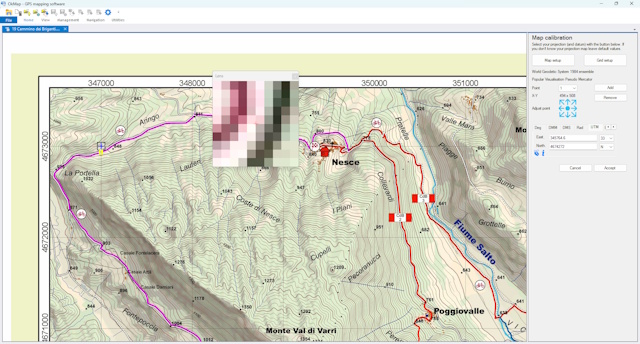
Georeference paper maps
Calibrate and georeference paper maps and raster images for use with GPS and mobile devices.

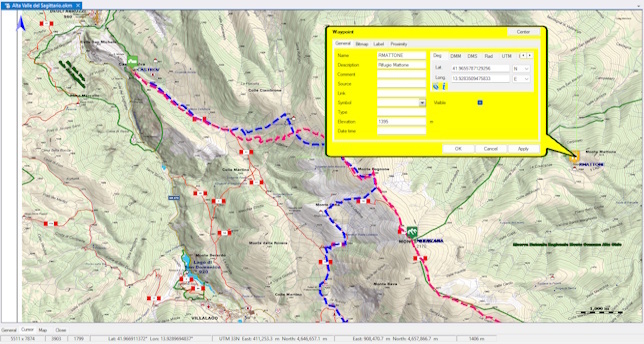
GPX Editor
Edit GPX tracks, waypoints and routes, correct data and organize your GPS routes.

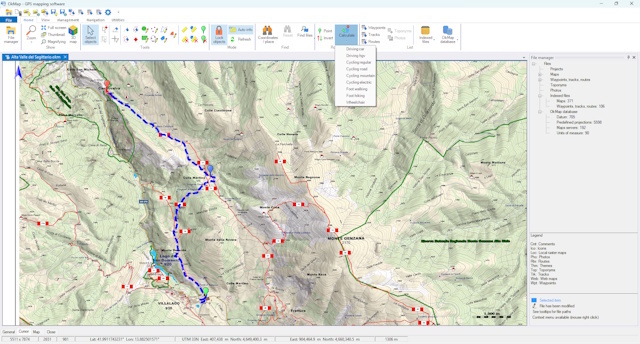
Autorouting and route planning
Calculate GPS routes along roads and trails and plan customized itineraries.

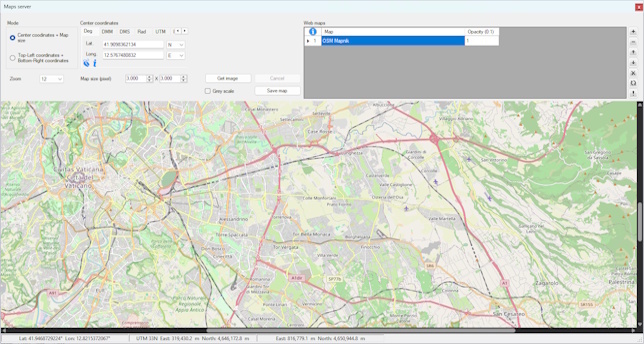
Offline maps
Download online maps, save them on your computer and use them even without an Internet connection.

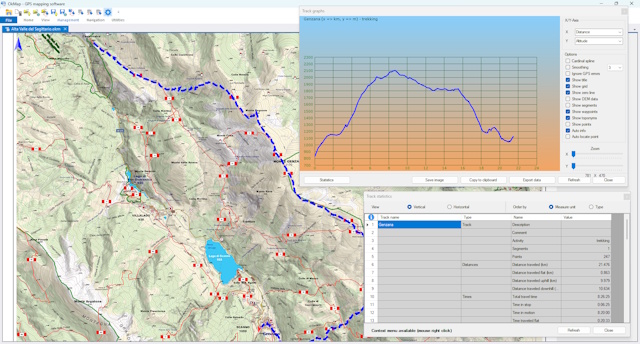
GPX track analysis
Analyze GPX tracks, elevation profiles, statistics, and performance to better understand every route.

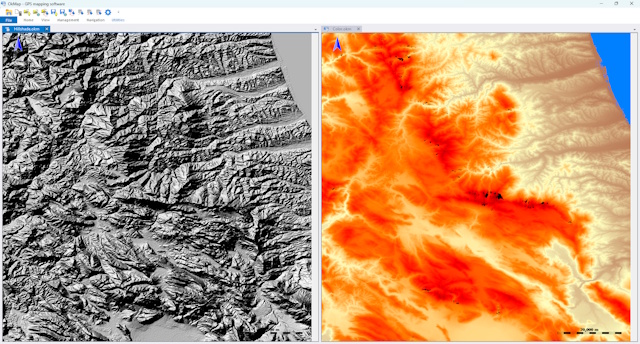
Elevation data and DEM models
Add elevation data and digital terrain models to analyze elevation profiles and slopes.

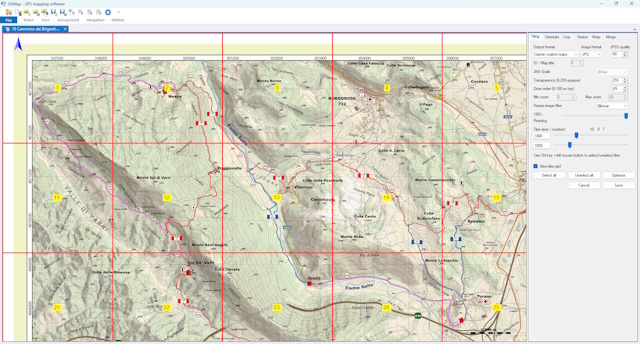
Garmin Custom Maps
Convert raster maps into Garmin Custom Maps (KMZ) for use on compatible Garmin devices.

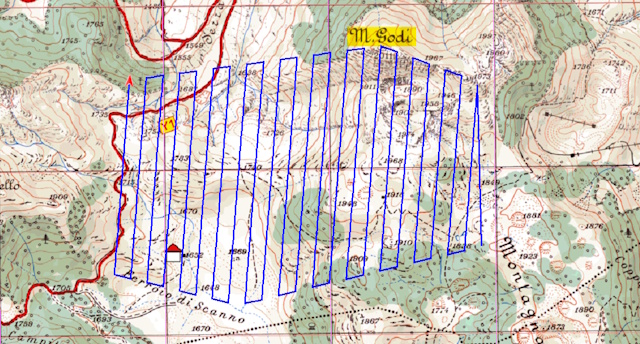
Automatic GPS Track Generator
Automatically generate lawn mower and grid GPS routes to completely cover an area.

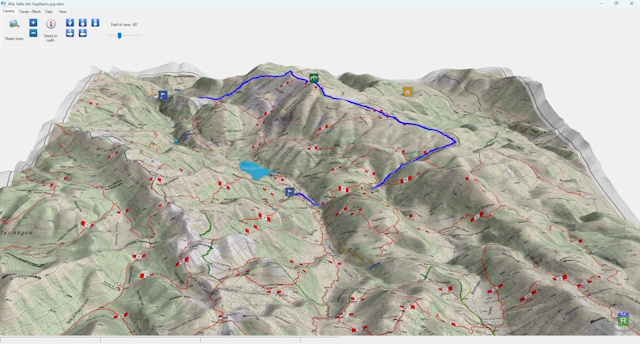
3D maps and routes
Explore maps, waypoints, and GPS tracks in a three-dimensional terrain view.

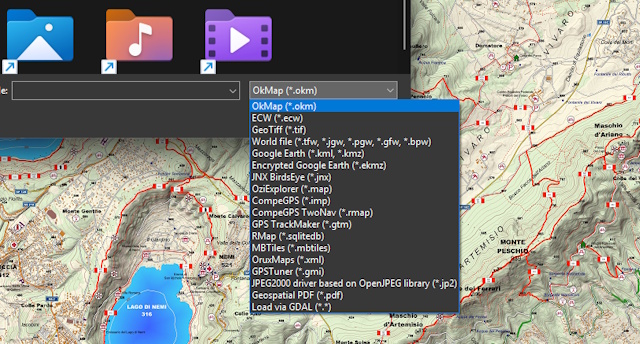
Import and Export Maps and GPX
Import and export maps, GPX tracks, waypoints, and routes in a wide range of formats compatible with GPS devices and GIS software.

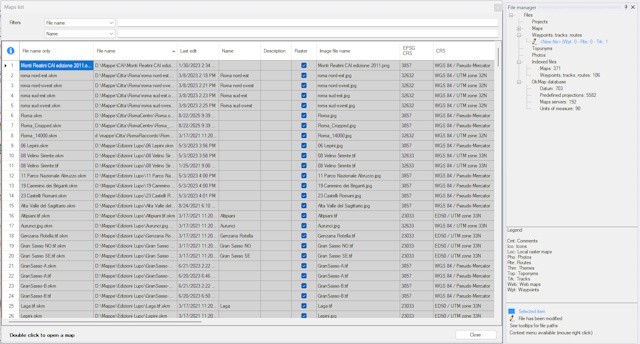
Organize Maps and GPS Data
Organize maps, waypoints, routes, and GPS tracks with powerful search, indexing, and project management tools.

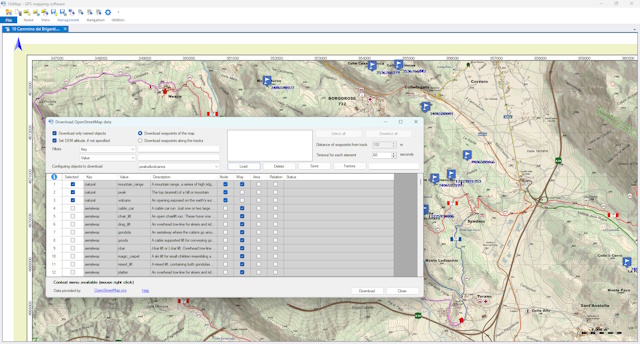
Download Waypoints and POIs from OpenStreetMap
Find and download points of interest from OpenStreetMap using predefined or custom filters.

of continuous development

where OkMap is used

seamlessly integrated

continuously updated
Explore the features
Edit GPX files, manage waypoints, download online maps and DEM data, create custom Garmin maps, and analyze elevation profiles. Explore the features that help you plan, organize, and share your outdoor activities.
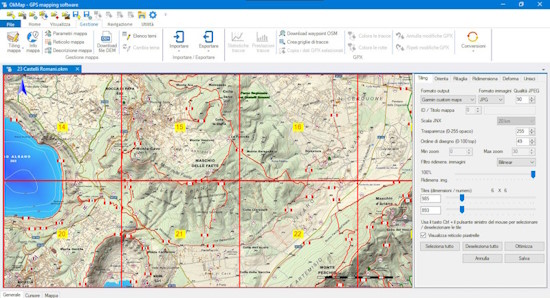
Georeference maps and create digital cartography
Use a scanner to get your digital maps, preferably in a print shop for better results.
Use OkMap Desktop's calibration function to match each pixel of the map with the corresponding geographic coordinates.
OkMap uses the most popular projection algorithms in the world. It also has a complete list of datums and projections from the official EPSG database.
Get digital maps and topographic maps from web services available on the Internet, automatically georeferenced without any manual operation.
Convert your map into the formats used by portable GPS devices (e.g. Garmin) and create offline maps that can be used even without an Internet connection.
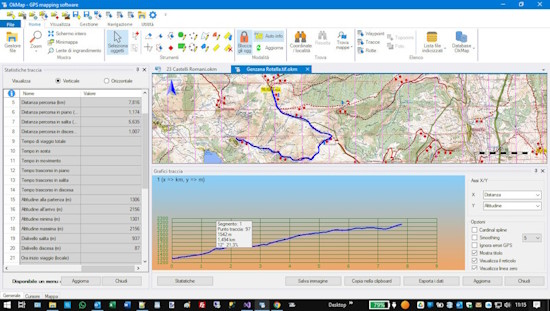
Plan GPX routes and itineraries with the built-in GPX editor
Use the different tools available in the software: drawing manual point by point, freehand drawing, automatic routing functions (even on trails) and geocoding.
OkMap can also automatically generate GPS tracks for the systematic coverage of an area, creating fully configurable lawn mower or grid patterns.
Edit your GPX tracks with advanced editing tools and an integrated GPX editor that allow you to add or remove one or more points, the calculation of the inverse track, the union of multiple tracks, the division of a track into multiple tracks, the segments management, the automatic simplification of points, altitudes and much more.
OkMap automatically assigns the altitudes of the track points using the previously downloaded altimetry data (DEM). Automatically calculates travel times using an algorithm which considers your training and the slopes of the track.
Save your tracks in GPX format and transfer them to your GPS.
Take the recorded tracks from your GPS and load them into OkMap.
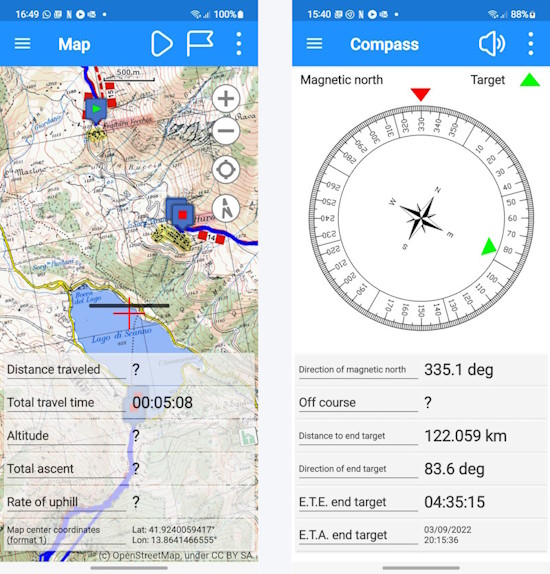
Offline GPS navigation
Follow your itineraries safely, a warning will tell you if you are going off course.
Use maps provided by web services or, when no network connection is available, your favorite offline maps created with OkMap Desktop.
Record the track while you walk a trail and/or follow a trail previously registered or created manually.
View waypoints, tracks and routes on the map; if you are traveling along a path, the recording track is drawn in real time.
An on-board computer will provide you all the information you need, including graphs with slopes and differences in height.
Uses a compass with voice support for pointing and a augmented reality function that displays surrounding waypoints in the camera of the device.
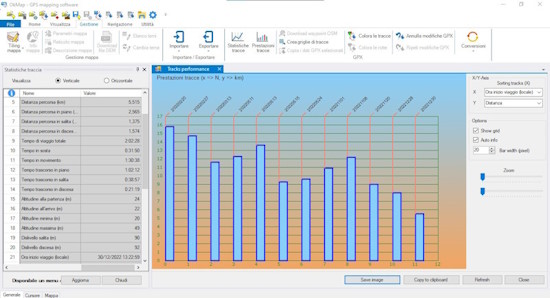
GPS track analysis and statistics
View all the important information: distances, times, altitudes, elevation changes, speed, intervals, gradients, and numerous estimates such as sun exposure, temperature, fatigue, calories burned, weight loss, and water consumption. The software uses algorithms that correctly evaluate elevation changes and travel times, taking into account distances and gradients.
Compare two or more tracks to immediately evaluate, even via graphs, your performance progress.
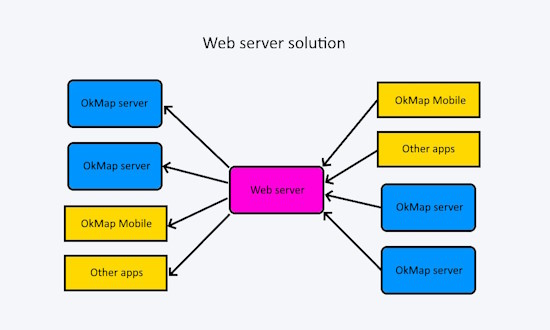
Share your position and waypoints
Communication takes place via a Web Server which acts as a concentrator.
The web server collects data from the apps that transmit them and sends them to the recipient apps as soon as they request them (in real time or even at a later time).
A sender can send to multiple recipients, and each recipient can receive data from multiple senders.
To obtain all this you need to install the Web Server set up for this purpose at a provider.
You need a domain associated with a Windows Hosting space, a Microsoft SQL Server database and an SSL certificate.
You will be able to share the service with your friends or colleagues to exchange information and therefore, if you want, also split the costs.
Nowadays the costs are very low, in the order of a few tens of euros per year.
The data is encrypted via the SSL protocol and is protected by authentication with credentials (user and password) which must be entered in the app preferences.
For more information on costs, contact us.
Explore features in detail
Find out what you can do with OkMap
From map georeferencing to offline navigation, from GPX route planning to GPS track analysis: discover the tools that make OkMap a complete solution for hiking, trekking, mountain biking and outdoor activities.









Maps, GPX tracks, waypoints, and offline navigation for your outdoor activities
From route planning on your PC to offline GPS navigation on your phone
Need support?
Contact us for any information, request, or assistance
Before contacting us, we encourage you to check the
forum:
you may already find the information you need.
In addition, other users can participate, share their experiences, and benefit from the answers provided.
We generally respond within 1–2 business days.
